
Ramblings on IT and Security

Month: April 2026

Building Windows images with Packer on Hyper-V

Back in December, I published a blog on building Windows images using Packer on Proxmox. That setup worked well, but like most things in infrastructure, you start tweaking, refining, and eventually rethinking parts of it. if you’re anything like me, this needs to work perfectly…. and that takes a lot of time. Over the past months, I’ve streamlined the entire workflow. Less friction, more consistency, and most importantly, something I can reuse across different Windows versions without thinking twice. And best of all, it’s now fully functional on Microsoft Hyper-V!

In this post, I’ll walk you through my current setup for building Windows Server images on Hyper-V using Packer. This is the version I actually use today as I moved back to Windows Hyper-V for my lab setup, not just something that works, but something that’s predictable and maintainable and was really fun to make.

Continue reading
Monitoring Windows Firewall logs with Azure Monitor

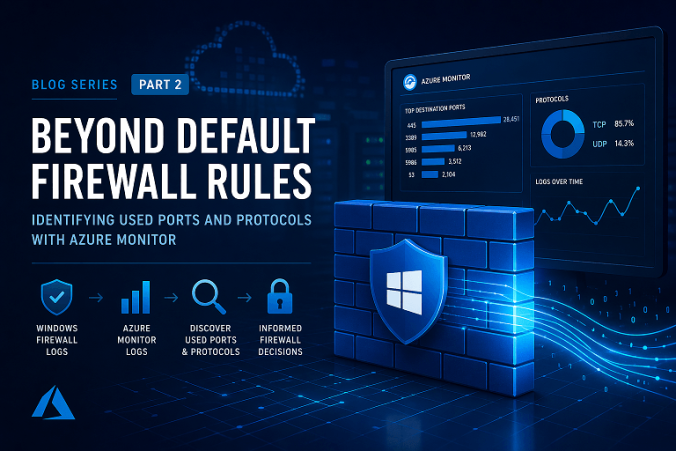
In a previous blog, On-prem Conditional Access You Never Knew You Had I explored how the built-in Windows Firewall can be used as a powerful control mechanism to restrict access to systems, effectively bringing conditional access concepts to on-premises environments. The response to that post was overwhelming, with over 23,000 views on Reddit alone. Clearly, many organizations are interested in rethinking how they use the Windows Firewall beyond its default, often permissive configuration, and so should you/ But before you can confidently start restricting access, there is a fundamental question you need to answer:

What is actually being used in your environment?

In many cases, firewall rules have grown organically over time. Ports are opened “temporarily,” (read: we forget, so they will be open forever) exceptions are made for specific systems, and over the years, the rule set becomes difficult to understand, let alone control or optimize. Tightening those rules without proper insight is risky and can easily break critical services.

Continue reading

On-prem conditional access you never knew you had

We often associate Conditional Access with Entra ID, Cloud apps, and Zero Trust.
But long before cloud-native policy engines existed, Windows already had a way to enforce identity-based access between endpoints, and I mean really long ago. I would make the claim that we could go back to February of the year 2000, when Windows 2000 saw the light of day. Years later in the era of Windows Vista and Windows 7, we got the Windows Advanced Firewall and that can do so much more than just block or allow a port, I think it’s a really cool piece of software. The combination of Windows Firewall, Kerberos and IPsec effectively gives you on-prem Conditional Access for east-west traffic. In this post I’ll tell you a bit of history, which problems my blog solves and why you want to start using it. And for the folks that see the word “IPsec”, trust me, I’ll make it easy to use, promise!

Let’s dive in!

Continue reading

Gone in a cipher, wiping deleted data the native windows way

Deleting a file in Windows rarely means the data is actually gone. In most cases, the file system simply removes the reference to the file while the underlying data remains untouched in unallocated space until it is overwritten. That is exactly why forensic tools can often recover deleted photos, documents, and other files long after a user believes they are gone.

When organizations need to prepare systems for redeployment, decommissioning, or internal reuse, many immediately look at commercial wiping solutions. What is often overlooked is that Windows already includes a native tool capable of securely overwriting deleted data: cipher.

And yes, it’s been there for a really long time.

Continue reading

© 2026 Michael Waterman

Theme by Anders NorenUp ↑