Ramblings on IT and Security

Tag: PowerShell (Page 1 of 2)

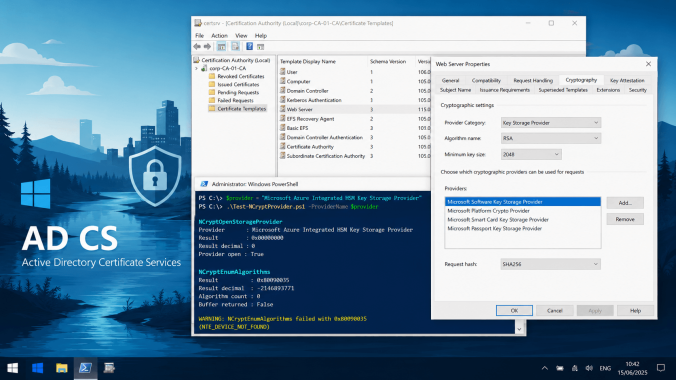
Proxmox Meets Enterprise PKI

Over the past few months, I’ve been writing extensively about building and configuring Microsoft Enterprise PKI (AD CS). And if you’re anything like me, you probably run some kind of home lab where you test ideas before deploying them at work.

At the same time, there’s a noticeable shift happening in the industry. Proxmox is showing up more and more, not just in home labs, but increasingly in enterprise environments as well. The same applies to my own setup. I’ve been running Proxmox for over two years now and I genuinely like the platform.

One thing that has been bothering me for a while, however, is that it uses a self-signed certificate for its management web interface. While the connection itself is still encrypted and protected (contrary to popular belief), it simply isn’t how things should be in a properly managed environment. So let’s fix that.

Continue reading

Modernizing RDP Certificates

This post is a small (promise!) but practical addition to my PKI series.

I wrote this blog because I wanted my own version of “how to set up RDP certificates.” Mostly as personal documentation, I can’t remember everything off the top of my head anymore… getting old.

During my initial research, I was surprised to see that many blogs still recommend older practices, SHA1 signatures, legacy cryptographic providers, or RSA 2048-bit keys without much explanation. And to be clear, I’m not saying RSA 2048 is bad. It’s absolutely still secure and widely used.

Continue reading

Deep Dive: Active Directory LDAPS Certificate Selection

In my previous blog about LDAPS certificates, I briefly touched on a topic that often leads to confusion, how a Domain Controller actually decides which certificate to use for LDAPS. At the time, I promised to dive deeper into that specific mechanism, because understanding it is critical when troubleshooting seemingly “mysterious” LDAPS issues. This post is that promised deep dive.

Continue reading

Building High-Available LDAPS Architectures

If you’re running Active Directory, like I said in a previous blog, that’s the majority of readers, you’re almost certainly using LDAPS, the secure version of LDAP. Not just because it’s “best practice,” but because plaintext LDAP over port 389 is a really bad idea, furthermore Microsoft has blocked access when you’re trying to connect to just LDAP on port 389 without any form of security.

While Microsoft has not removed the ability to use LDAP on port 389, recent security hardening features (such as LDAP channel binding and LDAP signing) can be configured to reject simple bind operations that are not signed or encrypted. In practice, many organizations today do not support clear-text LDAP unless it is secured (for example, via LDAPS). That’s why enabling LDAPS and proper security policies is highly recommended.

Unfortunately most environments treat LDAPS like a checkbox: “Yeah, we enabled LDAPS, installed a certificate, moved on.”

And that’s fine… until it isn’t. If your LDAP clients, VPN gateways, firewalls, RADIUS/NPS servers, Linux services, identity proxies, SaaS connectors, security appliances (the list goes on) depend on LDAPS, then what happens when the one Domain Controller you pointed them at suddenly goes offline?

Continue reading

PKI – Part 5: Creating Unique Object Identifiers (OIDs)

Introduction: Why OIDs matter in PKI

When building or managing a Public Key Infrastructure (PKI), precision and uniqueness are not optional, they’re very essential. Don’t be one of many, be your unique self! One key element that reflects this is the Object Identifier (OID). OIDs are globally unique values used to identify everything from certificate policies and application purposes to custom certificate extensions and cryptographic algorithms.

Continue reading

Step-by-Step Guide to Windows Event Forwarding and NTLMv1 Monitoring

Did you know that Windows has had a built-in capability to function as a SIEM (Security Information and Event Management) system for years, provided you stay within the Windows ecosystem? This powerful feature, known as Windows Event Forwarding (WEF), allows you to centralize event logs from multiple Windows machines, giving you a comprehensive view of your network’s activities.

Continue reading

Exploring Persistent Access in Active Directory: The AdminSDHolder Backdoor

Hey there, tech enthusiasts and Active Directory adventurers! Today, let’s talk about something really cool yet often overlooked in the world of Microsoft Active Directory: the AdminSDHolder. Now, you might be thinking, “What’s so special about this AdminSDHolder?” Well, let me tell you, it’s a game-changer in how security permissions are managed in your organization’s digital realm.

Continue reading
« Older posts

© 2026 Michael Waterman

Theme by Anders NorenUp ↑