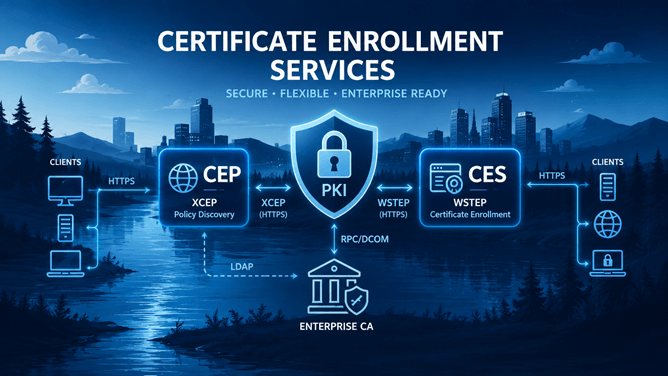
In the previous parts of this series, I’ve built a working Certificate Enrollment Services infrastructure from the ground up. I installed and configured the Certificate Enrollment Policy Web Service (CEP), the Certificate Enrollment Web Service (CES), and eventually used these services from both domain-joined and workgroup computers to request certificates. So far, every service is a single point of failure. If the CEP server became unavailable, clients could no longer retrieve certificate enrollment policy. If the CES server became unavailable, certificate enrollment through the web service stopped altogether. For a lab environment this is perfectly acceptable. For a production PKI, it usually isn’t.
Fortunately for me, CEP and CES were designed with redundancy in mind, so in this part I’m going to extend the environment with a second CEP and CES server. At the same time, I’m going to introduce dedicated DNS aliases: CEP01, CEP02, CES01, and CES02. Until now, our service URLs have been tied directly to the underlying server names such as lab-srv-03. That works, but it unnecessarily exposes the physical server identity as part of the service configuration. By using aliases instead, we separate the name of the service endpoint from the server hosting it. This also gives us much more flexibility if we later want to replace servers or change the architecture without changing the names clients use to access the services.
Introducing aliases means there is a little more work to do. DNS, TLS certificates, Kerberos SPNs, CEP and CES service URIs, and the published enrollment endpoints all need to agree on the new names.
So, let’s build the redundant environment first. In the next article, we’ll find out how highly available it really is.
Continue reading